
|
Overview The Spend section brings together your organisation’s software costs, vendor contracts, payments, and subscriptions in one place. Rather than piecing together spend data from invoices, spreadsheets, and email threads, Spend gives you a clear, up-to-date picture of where your technology budget is going, and connects that picture to the assets and governance data already in Montro. |
Why Spend Management Matters
Most organisations underestimate how much they spend on software, and overestimate how much of it they actually use. Without centralised visibility, the same problems tend to appear repeatedly:
| Problem | Impact |
| Duplicate software purchases | Multiple teams buy the same tool, paying twice for one solution |
| Unused subscriptions | Licences are paid for but never used, with no process to identify or cancel them |
| Unexpected renewals | Contracts auto-renew without review, locking in costs that could have been renegotiated |
| No budget visibility | Finance and IT have different pictures of what’s been committed and spent |
| Ungoverned vendor relationships | No central record of who owns a vendor relationship or what was agreed |
Accessing Spend
In the left-hand navigation, click Spend. It expands to show three sub-sections: Payments, Contracts, and Subscriptions.
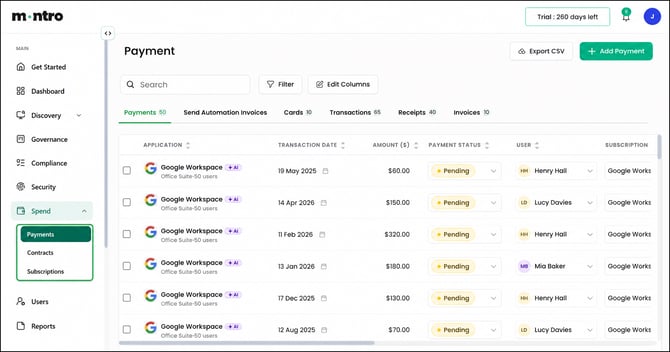
Click the sub-section you want to explore. Each one has its own article with full detail on what you will see and how to use it.
The Three Sub-Sections
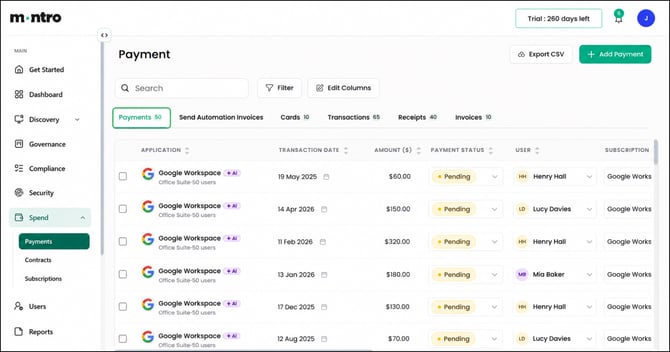
Payments - a full record of all financial transactions, cards, receipts, and invoices. This is where you track what has been paid, when, by whom, and against which application or contract. It has six internal tabs: Payments, Send Automation Invoices, Cards, Transactions, Receipts, and Invoices.
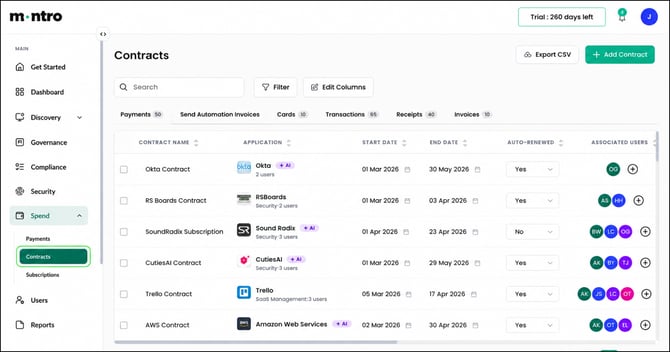
Contracts - your central register of vendor agreements. Each contract is linked to an application, with start and end dates, auto-renewal status, associated users, and the uploaded contract document. The place to go before any renewal decision.
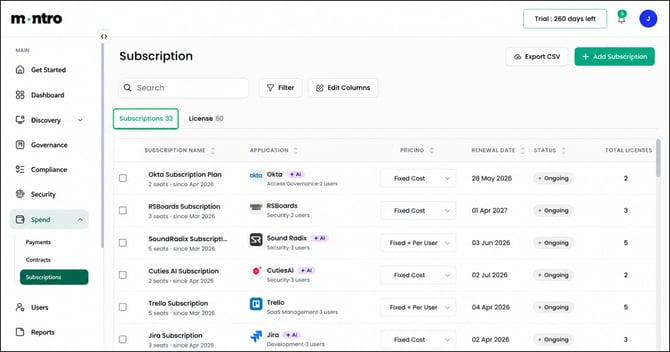
Subscriptions - every recurring service your organisation is paying for, with licence counts, costs, billing cycles, and renewal dates. The License tab within Subscriptions shows exactly which users hold licences under each plan, useful for identifying unused seats and managing access after offboarding.
How Spend Connects to the Rest of Montro
One of the key advantages of managing spend inside Montro is that it connects directly to your asset inventory and governance records, giving you a more complete picture than a standalone finance tool would.
| Connection | What it means in practice |
| Spend → Discovery | Costs are linked to the assets in your inventory, so you can see what you’re paying for each tool |
| Spend → Governance | Contract and subscription data supports governance reviews and compliance reporting |
| Spend → Users | Licence counts can be compared against active users to identify waste |
| Spend → Compliance | Contract records contribute to your ICT Third-Party Register obligations under DORA |
|
DORA and ICT third-party risk Under DORA, financial services organisations must maintain a register of all ICT third-party service providers. Keeping contract records accurate and up to date in Montro’s Contracts page contributes directly to meeting this obligation. |
Best Practices
- Check the License tab in Subscriptions regularly - Unused Licenses is the fastest way to spot money being wasted.
- Review the Status column in Contracts for any Expired entries, these need immediate attention.
- Check the Auto-Renewed column in Contracts before renewal dates - make sure nothing renews without a review.
- Link every subscription to its corresponding contract so your spend and commitment data stay aligned.
- Use Export CSV from any section to support budget reviews, audits, and financial reporting.
- Add new payments, contracts, and subscriptions as they arise - a complete record is only useful if it’s kept current.